Generate HubSpot quotes from a single prompt.
See It in Action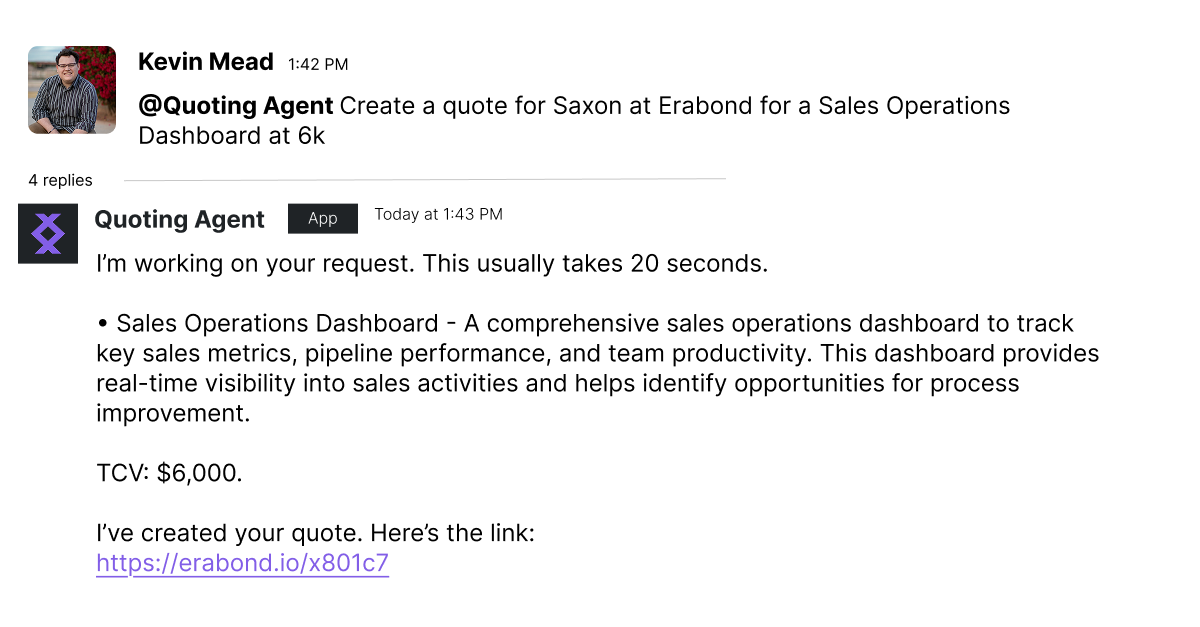
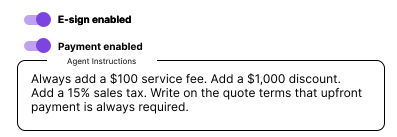
When setting up your agent, you can add custom instructions for the following:
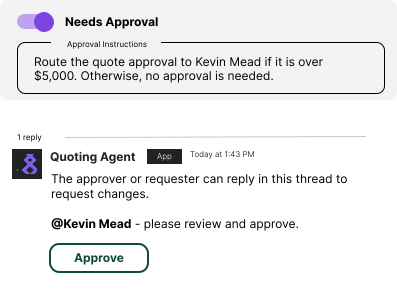
If your team requires approvals, you can tell the agent with basic instructions. It will route the quote based on your instructions, tag the user in Slack, and won't allow anyone else to approve.
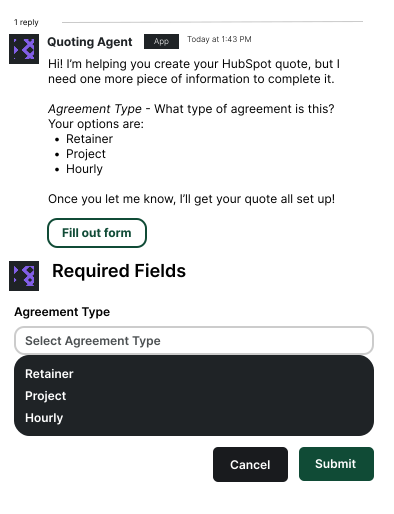
Match your quoting agent to your CRM and your required fields. You can quickly give the agent access to your properties for line items, deals, contacts, companies, and quotes. You can also require certain fields are filled out in an easy form mid conversation.
Once you install this quoting agent on your Slack, your team will be able to quote within 20 seconds from a single message.
You don't have to train your team how to quote
They don't have to remember pricing constantly
You can manage your CPQ process with text instructions, easy to change
Your team doesn't even have to log into HubSpot or learn a new tool
Imagine a world where a single Slack message gets a quote link ready to send to the customer.
We'll set up your quoting agent with:
You'll see it build real quotes for your team — in Slack.
